From Welcome to Conditional Logic, API Triggers, and Lifecycle Intelligence
Email marketing doesn’t fail because email is outdated.
It fails because most businesses never build the system behind it.
What most people call “email marketing” is a handful of disconnected campaigns, sent manually, with no shared logic, no usable data, and no real understanding of where a subscriber actually sits in the relationship.
A proper email flow isn’t a sequence.
It’s a decision system.
This article walks through how I build email flows for clients, starting with onboarding and welcome flows, moving through conditional “if / then” logic, API-driven list population, and lifecycle movement over time. This is the same thinking used when designing systems for clients like MuchoShare, Turquoise Tides Travel, and other service- and booking-driven businesses.
This isn’t about prettier emails.
It’s about infrastructure that supports the business instead of fighting it.
Start With the Map, Not the Messages
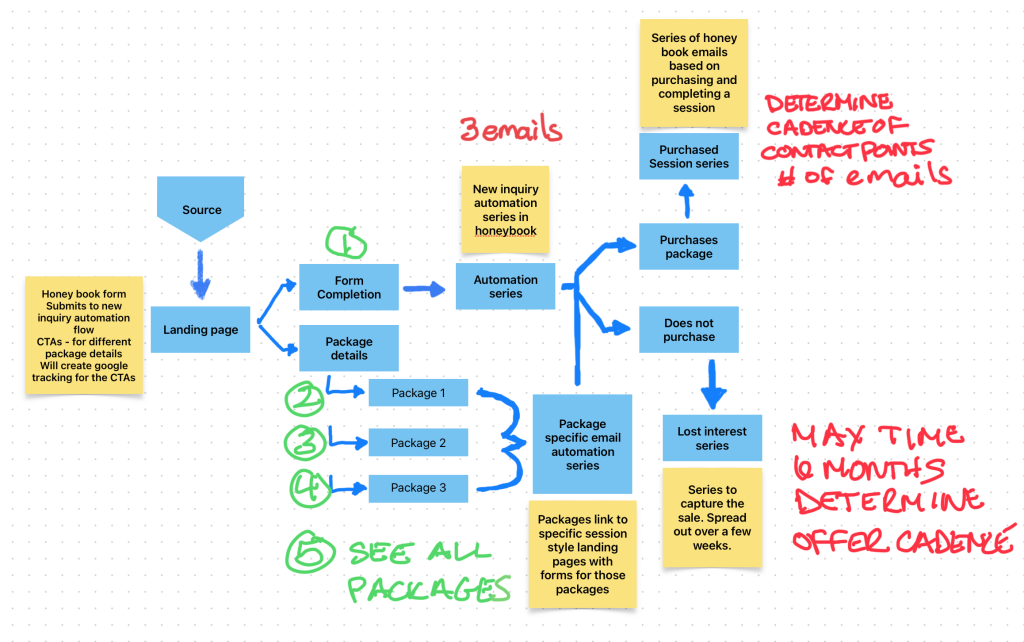
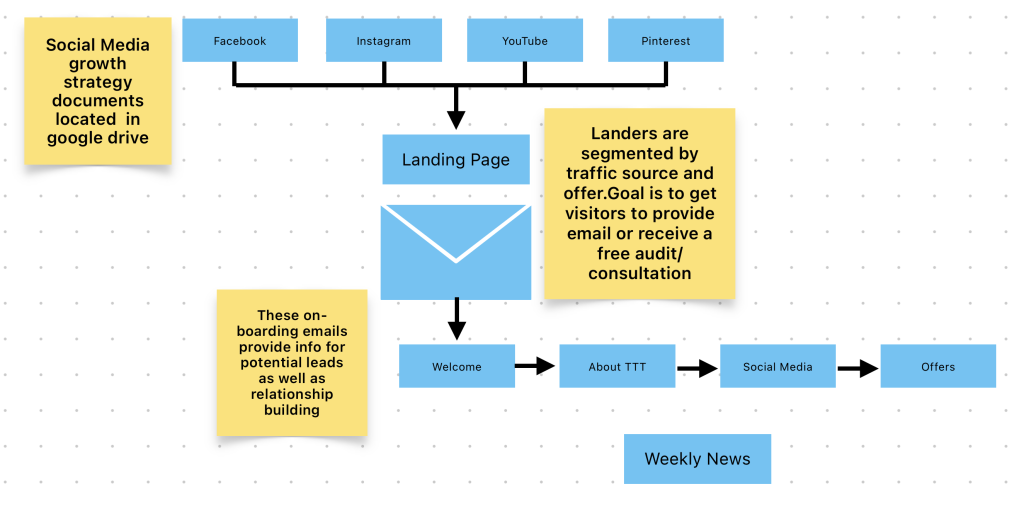
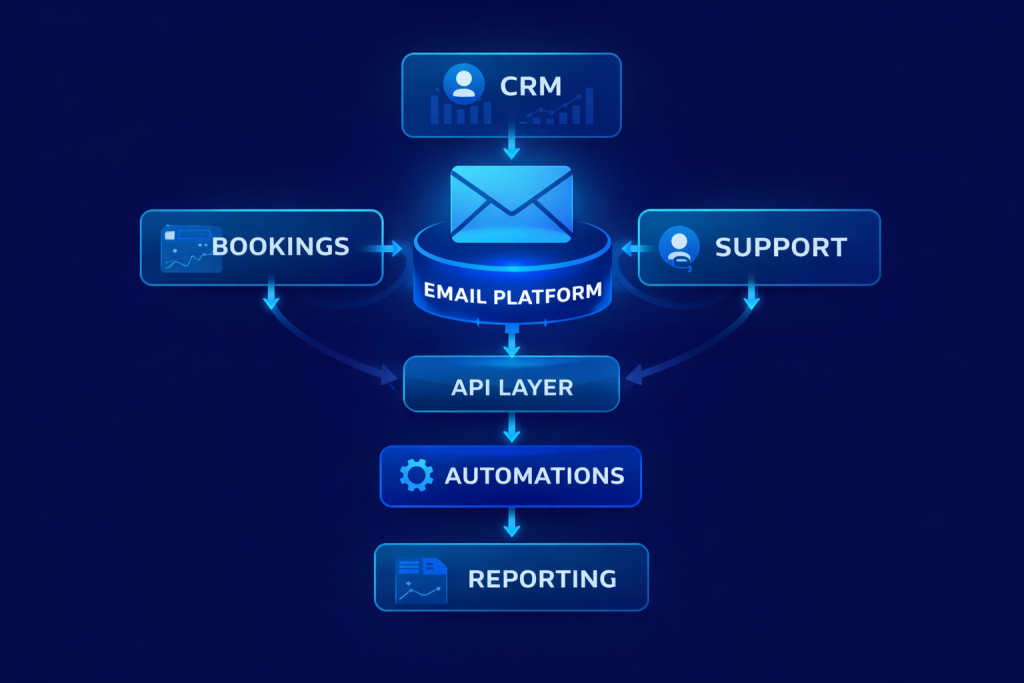
Before a single email gets written, the first deliverable is always a flow chart.
Not copy.
Not subject lines.
A map.
Flow charts force clarity. They expose gaps early. They stop assumptions from becoming systems.
At a minimum, an email flow map should answer:
- How does someone enter the system?
- What data is captured at entry?
- What conditions change their path?
- What actions do those conditions trigger?
- Where does the system hand off to people, platforms, or other tools?
If you can’t answer those visually, the system isn’t ready to be built.
This is where most businesses rush. They want “the welcome emails” first. That’s backwards. The welcome flow is a result of decisions made upstream.
The Welcome Flow Is a Gate, Not a Greeting
Most welcome flows are treated like brand introductions.
They shouldn’t be.
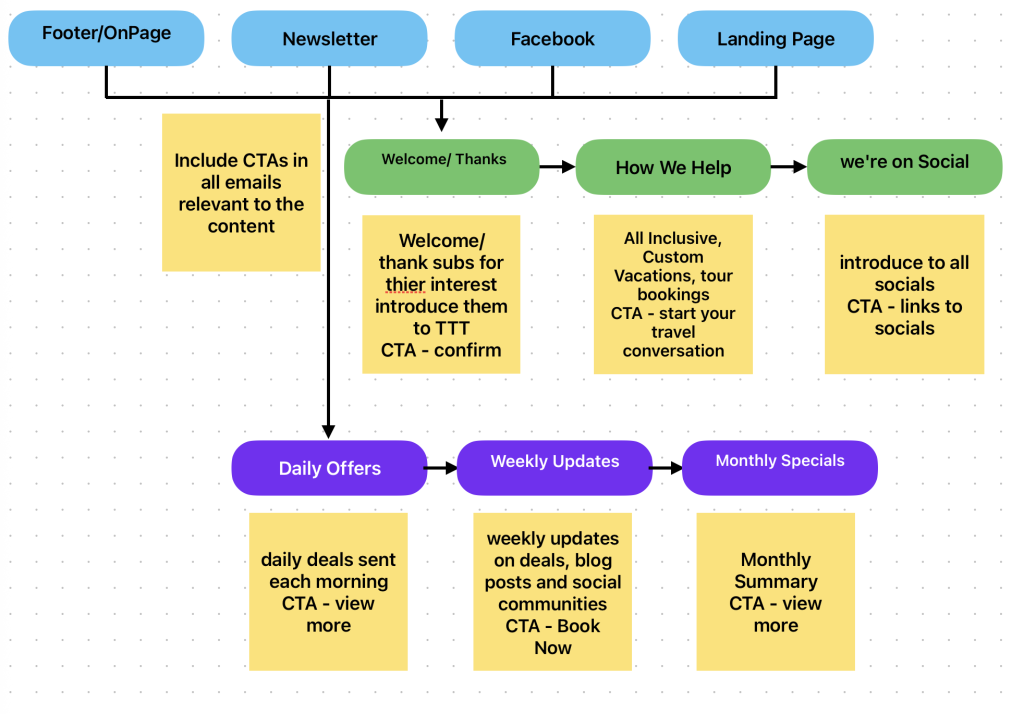
A welcome flow is a sorting mechanism.
Its job is to:
- Confirm intent
- Capture context
- Apply tags or custom fields
- Route the subscriber into the correct lifecycle path
A direct booking guest, a newsletter signup, a referral, and a repeat customer are not the same person. Treating them as such is where systems break.
What the Welcome Flow Actually Does
At the infrastructure level, a welcome flow should:
- Assign source data
- Apply role or intent tags
- Populate custom fields (dates, preferences, product interest)
- Trigger downstream logic automatically
The emails themselves can be simple.
The system behind them can’t be.
If / Then Logic: Where Email Becomes a System
This is where email stops being marketing and starts being operations.
“If / then” logic allows the platform to make decisions without human intervention.
Examples:
- If a booking is completed Then move the contact to “Active Guest” and suppress promotions
- If a quote is sent but not confirmed within X days Then trigger a reminder sequence
- If a user clicks a specific link Then update interest data and reroute future messaging
- If a cancellation occurs Then notify internal teams and adjust lifecycle status
This logic should never live only in someone’s head.
It belongs in the flow chart.
Every conditional path reduces friction and prevents irrelevant messaging.
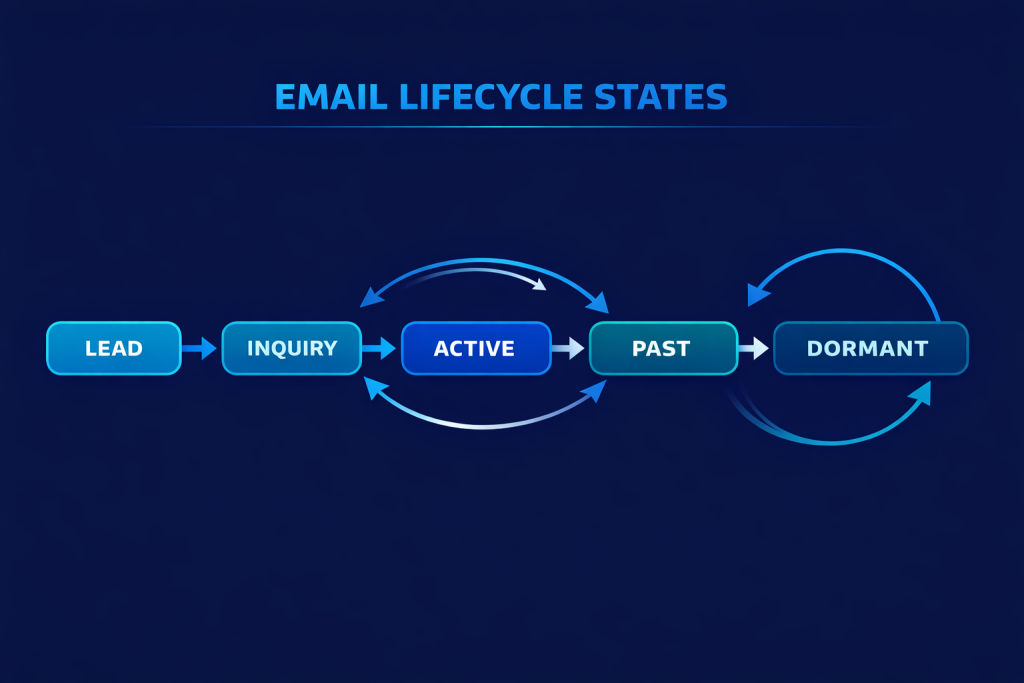
Email Lists Are Not Buckets. They Are States.
One of the most common mistakes I see is list misuse.
Lists should represent states, not audiences.
A state answers one question:
Where is this person right now in their relationship with the business?
Examples:
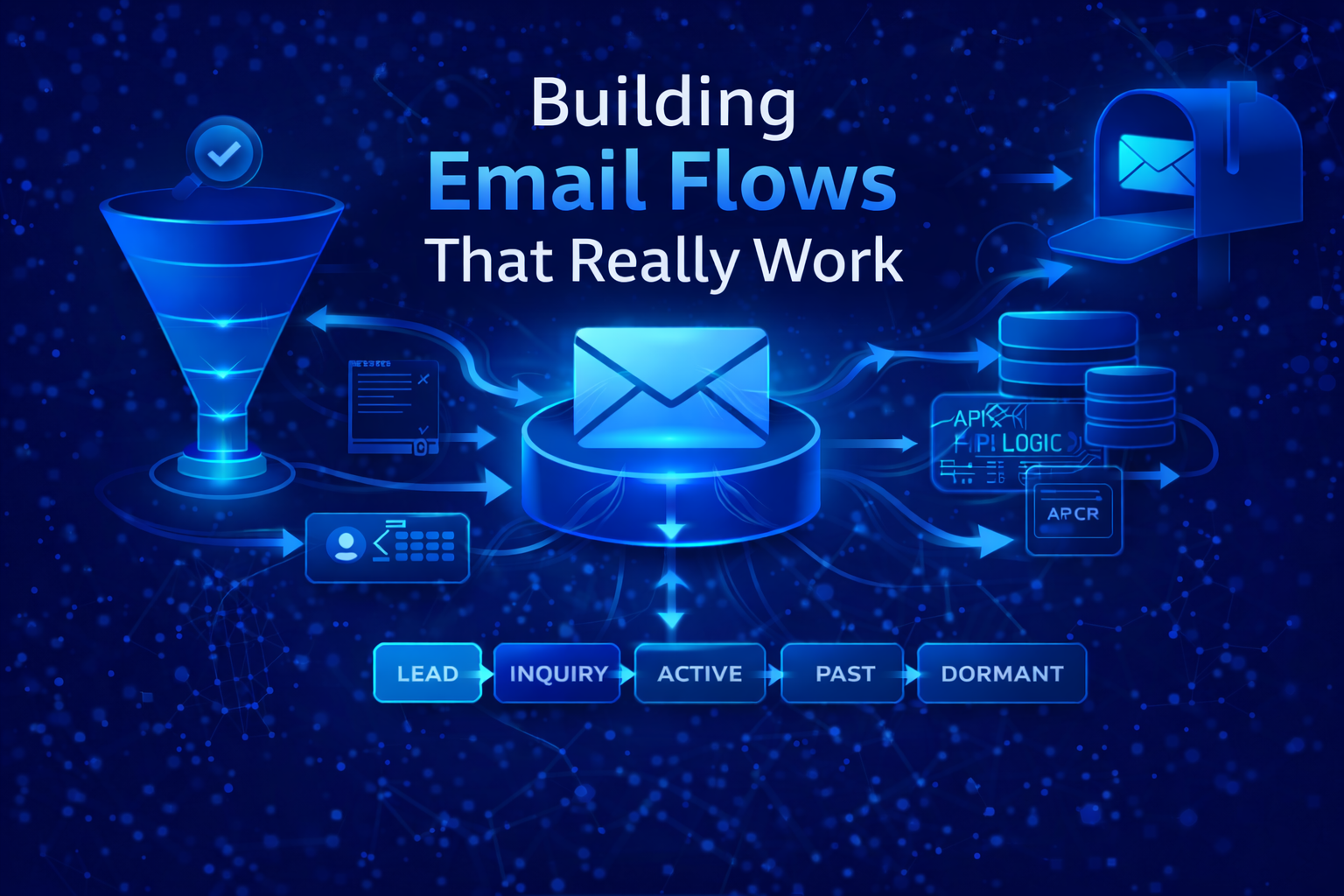
- New Lead
- Warm Inquiry
- Active Booking
- Past Guest
- Dormant
- Owner or Partner
- Internal Notifications Only
When lists are treated this way, movement between them becomes meaningful. Contacts move through lists instead of piling up inside them.
This matters for automation, reporting, and deliverability.
Why API Triggers Matter
Manual list management doesn’t scale.
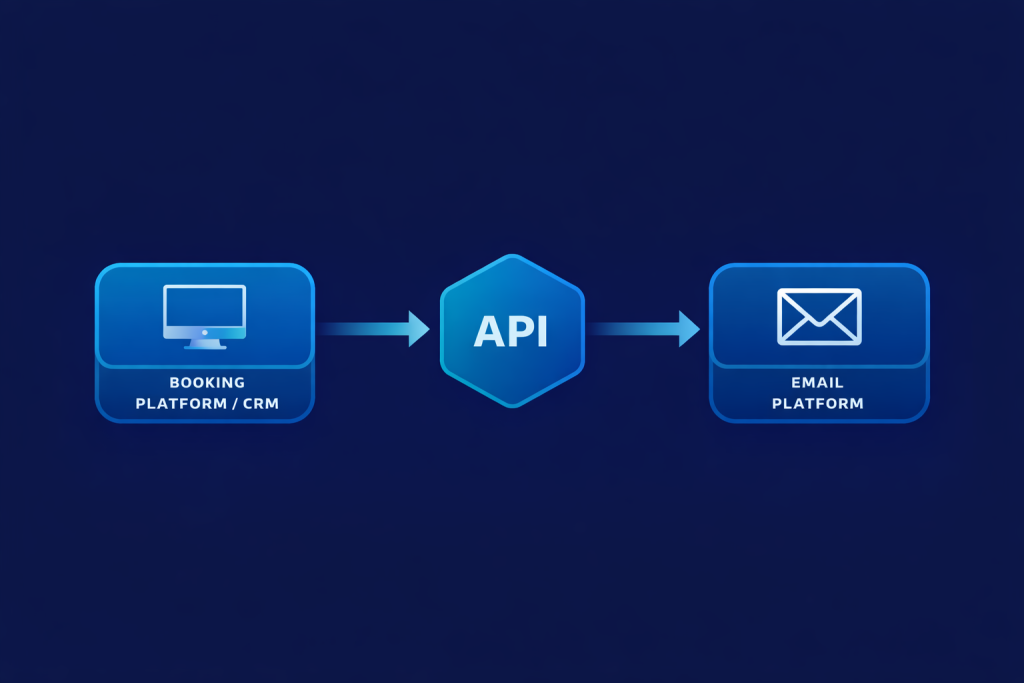
API triggers are what turn email into infrastructure.
An API allows external systems to:
- Add or update subscribers automatically
- Pass structured data
- Trigger automations in real time
- Change lifecycle states without human input
This is essential when email needs to react to bookings, purchases, cancellations, or updates happening outside the email platform.
What Data Should Be Passed via API
At minimum:
- Email address
- Name (when available)
- Lifecycle state
- Source or trigger event
- Relevant dates
- Transaction or booking IDs
This data should populate custom fields, not just tags.
Tags are flags.
Fields are memory.
Keeping Lists Updated Without Manual Cleanup
A properly built system doesn’t require weekly list maintenance.
Movement happens automatically based on events.
Examples:
- Booking confirmed → removed from Inquiry
- Stay completed → moved to Past Guest
- Rebooked → moved back to Active
- Long-term inactivity → moved to Dormant
If someone has to remember to “move people around,” the system is already failing.
Planned Structure Improves Deliverability
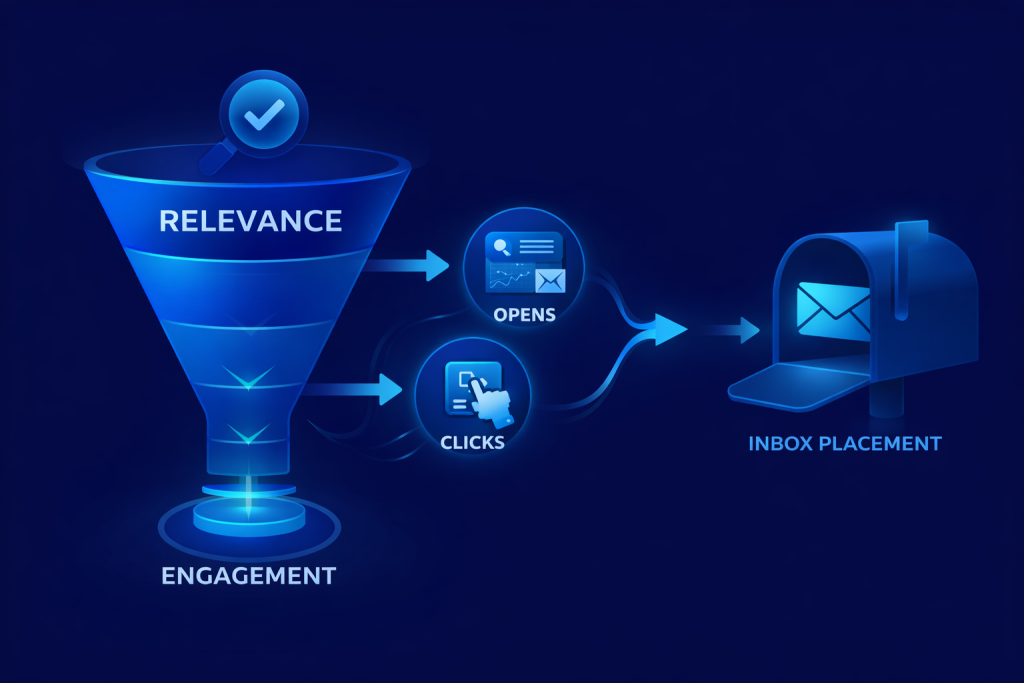
Deliverability isn’t just DNS records and authentication.
It’s relevance.
Inbox providers track engagement signals constantly. When subscribers receive emails that don’t match their current state, engagement drops. When engagement drops, inbox placement follows.
Planned structure ensures:
- Fewer unnecessary sends
- Higher relevance
- Clean suppression rules
- More predictable performance
This protects the list long-term.
Planning Before Building Saves Money
Clients often want to “start sending” quickly.
What they don’t see is that rebuilding later costs more.
Planning upfront:
- Reduces rework
- Prevents logic conflicts
- Speeds onboarding
- Simplifies reporting
- Makes future integrations possible without rebuilds
A flow chart might take hours or days.
Fixing a broken system takes weeks
Flow Charts Are Living Documents
A flow chart isn’t a one-time artifact.
It should be:
- Updated when systems change
- Referenced when campaigns are added
- Used during onboarding
- Treated as operational documentation
When email supports operations, the flow chart becomes a shared reference point across teams.
Where Most Email Systems Break Down
The failure points are consistent:
- No lifecycle clarity
- Lists used as dumping grounds
- No suppression logic
- Manual updates
- Copy written before structure
- No integration with booking or CRM systems
These aren’t copy problems.
They’re planning problems.
Email as a Business Asset
When built correctly, an email system becomes:
- A communication backbone
- A data layer
- A customer memory
- A conversion engine
- A retention tool
It’s not dependent on algorithms.
It’s not rented attention.
It’s owned infrastructure.
That’s why email still outperforms social for lifecycle communication.
Final Thought
Email flows aren’t about sending more emails.
They’re about sending the right email, at the right time, based on real data, without manual effort.
That only happens when:
- The system is mapped first
- Logic is documented
- Lists represent states
- APIs handle movement
- Email is treated as infrastructure, not campaigns
Everything else is noise.
More References for Email Marketing
HubSpot, SparkPost, Litnus